


LingQ | Learn Languages
4.51.84K Reviews
App Specs
- Version
- 6.1.24
- Updated On
- License
- Free
- Downloads
- 1,000,000+
- Developer
- LingQ Languages Ltd.
- Categories
- Education
- Platform
- Android, iOS
Screenshots




 Analysis by AppCompare
I’d approach LingQ as a reading-and-listening workspace, not as a step-by-step course that tells me exactly what to do each day. That difference is useful to understand before setting it up: the app is built around learning from material, so my progress depends partly on choosing content I can follow and returning to it regularly. When that match is right, it can make language study feel connected to things I actually want to read or hear. When it is wrong, the freedom can feel like extra work.
Where getting started can feel less simple
The first decision is not only which language to study, but what kind of learning routine I want. Someone who expects a short sequence of lessons with a clear finish line may open the app and wonder what to do next. LingQ gives me material to explore rather than relying solely on a single prescribed path, so I need to make choices about topic and difficulty. I find it helps to begin with one short, approachable item instead of browsing until I feel obliged to pick the perfect course.
There is also a difference between recognizing a word while reading and being ready to use it in conversation. Highlighting unfamiliar vocabulary is a useful way to notice and revisit it, but it does not automatically make speaking practice happen. I treat the saved words as a record of what deserves attention, not proof that I have mastered it. If speaking confidently is my immediate priority, I would pair LingQ with conversation practice rather than expect reading alone to do the whole job.
Setup checks that make the first session smoother
Before I start a lesson, I make sure I have chosen the language I actually want to study and a text or recording that feels manageable. A familiar subject can be a better starting point than a fascinating but very advanced one: I already understand the ideas, so more of my attention can go to the language. If a passage feels dense from the first few lines, switching to something easier is sensible, not a sign that I have failed.
I also decide what counts as a useful session. For me, that might mean reading a small section carefully, listening to a piece more than once, or collecting a handful of unfamiliar expressions to review later. A simple intention keeps the app from becoming an endless content-browsing exercise. The point is to spend time with the language, not to build the largest possible queue of things I might study someday.
A practical way to recover a stalled routine
If I lose momentum, I do not try to make up for every missed day in one long session. I return to a familiar item, review words I have already marked, and then choose one new piece of content. That lowers the effort of restarting: I am not facing a wall of unfamiliar material and a backlog at the same time. It also helps me see whether I stopped because the routine was too ambitious or because the content itself was a poor fit.
When a lesson feels confusing, I check the problem in small steps. I reread the sentence around an unfamiliar word, listen again if the material has audio, and consider whether the item is simply beyond my current level. If the difficulty continues, I move on rather than turning one frustrating passage into a judgment about the whole app. LingQ works best for me when I can adjust the material instead of forcing myself through something that is not helping.
Worth Reading Before You Choose

EA SPORTS FC Mobile 26 Is a Bigger Football Game, but It Takes Time

Flipboard Shows What News Apps Must Do Beyond the Feed

Switching to Android Auto Means Rethinking Your Driving Routine

Google Calendar Makes a Crowded Week Easier to Manage

Ludo King Makes the Most of the Minutes Between Plans

Baby Panda World Brings Quick Play to Modern Phones, but Its Game Library Feels Busy
When the app may not be the source of the problem
Language learning can feel slow even when a tool is working as intended. A word that makes sense in one sentence may still be hard to recognize in a different context, and a listening passage can remain challenging even after I have read it. I take those moments as a cue to revisit the material or choose a more suitable next step, not as evidence that I should instantly understand everything.
It is also worth separating a content problem from a study-method problem. If I am opening interesting articles but never reviewing what I marked, the app cannot turn passive browsing into steady retention on its own. If I need structured grammar explanations, pronunciation correction, or regular live conversation, I should look for those in a complementary resource. LingQ can support a broader routine, but I would not make it responsible for every language skill.
As an education app from LingQ Languages Ltd., it has been around since Oct 7, 2011, and its current version is 6.0.24. It is free to install, rated for Everyone, and has an average rating of 4.6 from around 49,000 ratings, with over 1 million installs. I see those figures as context rather than a guarantee that its open-ended style will suit me. In-app purchases range from $14.99 to $269.99 per item, so I would explore the free experience first and decide whether the way I study justifies spending anything.
Compared with a conventional lesson app that leads me through a fixed sequence, LingQ puts more emphasis on learning from content and revisiting vocabulary in context. That is a real advantage if I like choosing what I read and can manage my own routine. A more guided alternative may be a better fit if I want explicit daily directions, frequent grammar instruction, or a stronger sense of completion after each session. I would also use a dedicated speaking resource if conversation is the main goal.
What’s LingQ All About?
So, LingQ is not your average language learning app. It’s like a buffet of languages that lets you dive into real-world content while learning. Imagine getting to learn French by reading a blog post about Parisian cafés or brushing up on your Spanish through a thrilling short story. Pretty rad, right?
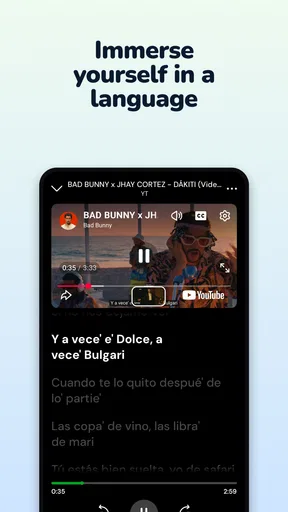
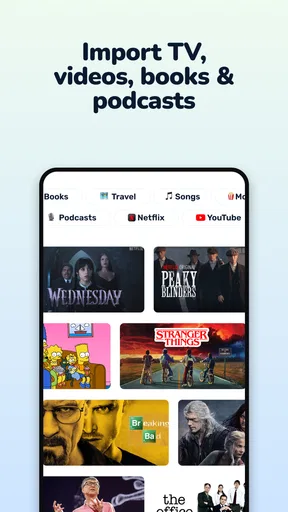
The app offers a huge library of lessons that are crafted from texts, podcasts, and even videos. It’s like Netflix for language learners! The idea is to immerse yourself in the language, rather than just memorizing vocabulary lists. And trust me, it makes a big difference.
Getting Started: First Impressions
When you first open the app, it’s super easy to get started. You just choose the language you want to learn, and LingQ will guide you through the setup. There are over 20 languages to pick from, so you’re spoiled for choice. I decided to try out Italian because, well, who doesn’t want to sound romantic?
The interface is pretty user-friendly. It’s clean and intuitive, which is a huge plus if you’re like me and get easily overwhelmed by cluttered screens. Once you’re set up, you can start exploring the content. There’s a mix of beginner, intermediate, and advanced material, so you can find something that fits your level.
Diving into Content
Now, here’s where LingQ really shines. The app lets you learn by consuming content you’re genuinely interested in. You can choose from a variety of topics, from travel to business, and filter them by difficulty. It’s learning by doing, in the most engaging way possible.
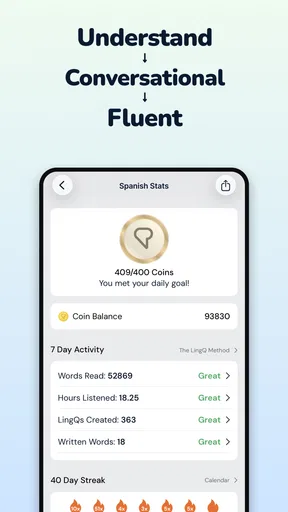
One of my favorite features is the ability to highlight words and phrases you don’t understand. These become “LingQs,” and the app tracks them for you. Over time, you can see your progress as you learn and recognize more words. It feels incredibly satisfying to watch those LingQs turn from unknowns to knowns—like leveling up in a game!
The Social Side
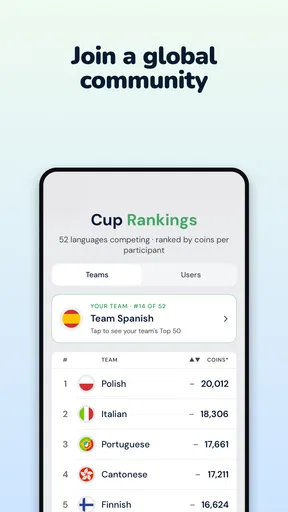
Learning a language is more fun with friends, and LingQ gets that. The app has a community aspect where you can connect with other learners. You can share your progress, tips, and even chat in the language you’re learning. It’s a neat way to stay motivated and maybe even make some new friends around the world.
I would treat the community as an optional supplement rather than the core of my routine. It can make studying feel less solitary, but the most reliable plan is one I can follow even when nobody else is active or available. A practical approach is to use community interaction as a reason to apply something I have just read: jot down a thought in the target language, then use a conversation or exchange to test whether I can express it naturally. That gives social features a purpose beyond simply checking in.
Customizing Your Experience
LingQ also lets you import your own content. So, if you stumbled upon an intriguing article or podcast outside the app, you can bring it into LingQ and study it there. It’s perfect for those who like a bit of personalization in their learning journey.
Importing is most useful when I have a specific reason to study a piece, such as preparing for a trip, following a hobby, or understanding a subject I already care about. I would pick a manageable excerpt rather than turn every interesting link into homework. The trade-off is that a personally chosen text may be more motivating, but it can also be less carefully matched to my level than material selected for learners. If I am constantly stopping to look things up, I switch to something easier and save the harder item for later.
A realistic routine could be a short reading session during a quiet part of the day: I choose one piece about a familiar topic, mark only the words that repeatedly block my understanding, and return to those later instead of interrupting every sentence. If the same material includes audio, I can listen again after reading and notice which phrases I recognize by sound. That sequence makes the content do more than fill time, while keeping the session small enough to repeat tomorrow.
The app’s spaced repetition system helps reinforce what you’ve learned. It pops up those tricky words at just the right intervals to help them stick in your brain. It’s like having a personal trainer, but for your memory.
One useful restraint is to avoid treating every unfamiliar word as equally important. If I mark too much, review can become a second job and the reading loses its flow. I focus on words that recur, matter to the subject, or prevent me from understanding the main idea. This is a small choice, but it makes a vocabulary review more manageable and gives me a better chance of seeing those words again in meaningful sentences.
Some Things to Keep in Mind
While LingQ is a fantastic tool, it’s not without its quirks. The free version is somewhat limited, and if you’re serious about learning, you might find yourself tempted to upgrade to the premium version. But hey, quality often comes at a price, right?
I would not pay simply because I have started a language or feel that a subscription must be the next step. First, I would try a repeatable routine and see whether the available material and study tools suit the way I learn. If the main obstacle is that I need a teacher, a more guided curriculum, or feedback on speech, paying for more of the same style may not solve it. The right purchase is the one that removes a real constraint in my own routine.
Also, because the app relies heavily on user-generated content, the quality of lessons can vary. It’s a bit like rummaging through a treasure chest—sometimes you find gold, other times, not so much. But with so much content available, you’re bound to find something that clicks with you.
That variety is both the appeal and the extra bit of work. I check whether a lesson is clear enough to follow and whether its topic is worth my attention before building a routine around it. If an item feels awkward, overly difficult, or simply uninteresting, I move to another rather than assuming all content will feel equally polished. Learners who prefer a tightly edited sequence may find that selection process tiring; learners who enjoy curating their own material may see it as part of the freedom.
Wrapping It Up
All in all, LingQ is a fresh and exciting way to learn a new language. It’s immersive, flexible, and keeps you engaged with content that matters to you. If you’re tired of the same old flashcards and grammar drills, give LingQ a shot. It might just be the language learning revolution you’ve been waiting for.
For me, the best reason to try it is the chance to connect vocabulary with full passages rather than meet words only as isolated prompts. The main thing to be honest about is what I expect from a language app: LingQ is a stronger match for self-directed reading and listening than for someone who wants a complete course with every next step decided in advance. I would skip it as my only tool if my immediate need were speaking fluency, detailed grammar instruction, or correction from a tutor.
So, are you ready to embark on your language adventure with LingQ? Whether you’re dreaming of chatting with locals in Tokyo or reading a novel in its original French, this app could be your ticket to making it happen. Happy learning!
Pros
- Wide variety of languages available.
- Interactive lessons boost engagement.
- Offline mode for learning on the go.
- Customizable learning paths.
- Useful vocabulary tracking tools.
Cons
- Free version has limited features.
- Interface can be overwhelming at first.
- Some content requires in-app purchases.
- Audio quality varies across lessons.
- No structured grammar lessons.
FAQs for LingQ | Learn Languages
What languages can I learn with LingQ?
LingQ offers a wide variety of languages, including popular ones like Spanish, French, German, Chinese, and many more. The app supports over 25 languages, catering to both beginners and advanced learners. This extensive range makes it a versatile choice for users seeking to expand their linguistic skills.
How does the LingQ method work?
LingQ uses a unique method that focuses on immersive reading and listening experiences. Users are encouraged to interact with real-world content, such as articles and podcasts, while building their vocabulary through "lingqs"—words and phrases saved for review. This method helps in contextual learning and retention.
Is LingQ suitable for beginners?
Yes, LingQ is suitable for beginners. The app provides a structured approach with lessons and graded content that caters to all proficiency levels. Beginners can start with basic materials and gradually progress to more advanced topics as their understanding and confidence grow.
Are there any costs associated with using LingQ?
LingQ offers a free version with limited features, which allows users to explore the platform and start learning. However, a premium subscription is available, providing additional features such as unlimited lingqs, offline access, and enhanced learning tools. Pricing details can be found on their website.
Can I use LingQ offline?
Yes, LingQ offers offline capabilities, but this feature is part of the premium subscription. Users can download lessons and content to their devices, allowing them to continue learning without an internet connection, which is ideal for those who need flexibility in their study schedule.


